Tuesday, March 17, 2020

Function Using Radio Buttons

CODE:

<!DOCTYPE html>
<html lang="en-US">

<head>
    <title>Functions in JavaScript</title>
    <meta charset="utf-8">
    <meta name="viewport" content="width=device-width, initial-scale=1">
    <link rel="stylesheet" href="https://maxcdn.bootstrapcdn.com/bootstrap/4.4.1/css/bootstrap.min.css">
    <script src="https://ajax.googleapis.com/ajax/libs/jquery/3.4.1/jquery.min.js"></script>
    <script src="https://cdnjs.cloudflare.com/ajax/libs/popper.js/1.16.0/umd/popper.min.js"></script>
    <script src="https://maxcdn.bootstrapcdn.com/bootstrap/4.4.1/js/bootstrap.min.js"></script>
    <style>
        *{
            padding: 10px;
        }
    </style>
    <script>
        function fun1() {
            var rd1 = document.getElementById("rd1");
            var rd2 = document.getElementById("rd2");
         
            if(rd1.checked==true){
                alert("The selected is : "+rd1.value);
            }
            else if(rd2.checked==true)
                alert("The selected is : " +rd2.value);
            else
                alert("Nothing selected");
        }
    </script>
</head>

<body>

    <h1>Select any one from below: </h1>
    <input id="rd1" name="radio1" type="radio" value="JavaScript" required></input>
    <labeL><strong>JavaScript</strong></label><br />
 
    <input id="rd2" type="radio" name="radio1" value="Bootstrap" required>
    <labeL><strong>Bootstrap</strong></label><br />

    <button onclick="fun1()" id="btn1">Click Me</button>

</body>
</html>

OUTPUT:


Friday, March 13, 2020

Simple JavaScript Functions

CODE:

<!DOCTYPE html>
<html lang="en-US">
    <head>
        <title>Addition</title>
        <meta charset="utf-8">
        <meta name="viewport" content="width=device-width, initial-scale=1">
        <link rel="stylesheet" href="https://maxcdn.bootstrapcdn.com/bootstrap/4.4.1/css/bootstrap.min.css">
        <script src="https://ajax.googleapis.com/ajax/libs/jquery/3.4.1/jquery.min.js"></script>
        <script src="https://cdnjs.cloudflare.com/ajax/libs/popper.js/1.16.0/umd/popper.min.js"></script>
        <script src="https://maxcdn.bootstrapcdn.com/bootstrap/4.4.1/js/bootstrap.min.js"></script>

        <style>
            .container{
                background-color: buttonface;
                height: auto;
                border-radius: 30px;
                padding: 15px;
            }
        </style>
    </head>
    <body>
        <div class="container">
            <h1>This is simple Addition.</h1>
            <button type="button" onclick="forSum()">Click for Sum</button>
            <h2 id="demo1"></h2>
            <br />
            <h1>The current date is:</h1>
            <button type="button" onclick="document.getElementById('demo2').innerHTML=Date()">Click for Date</button>
            <h2 id="demo2"></h2>
        </div>
        <script>
            function forSum() {
                var a = 5, b = 4;
                var sum = a + b;
                document.getElementById('demo1').innerHTML = "Sum is : " + sum;
            }
        </script>
    </body>
</html>

OUTPUT:


Thursday, March 5, 2020

Buttons in Bootstrap

CODE:

<!DOCTYPE html>
<html lang="en-US">
    <head>
        <title>Buttons in Bootstrap</title>
        <meta charset="UTF-8">
        <meta name="viewport" content="width=device-width, initial-scale=1.0">
        <link rel="stylesheet" href="https://maxcdn.bootstrapcdn.com/bootstrap/4.4.1/css/bootstrap.min.css">
        <script src="https://ajax.googleapis.com/ajax/libs/jquery/3.4.1/jquery.min.js"></script>
        <script src="https://cdnjs.cloudflare.com/ajax/libs/popper.js/1.16.0/umd/popper.min.js"></script>
        <script src="https://maxcdn.bootstrapcdn.com/bootstrap/4.4.1/js/bootstrap.min.js"></script>
    </head>
    <body>
        <div class="container">
            <button type="button" class="btn btn-primary">Primary</button>
            <button type="button" class="btn btn-secondary">Secondary</button>
            <button type="button" class="btn btn-success">Success</button>
            <button type="button" class="btn btn-danger">Danger</button>
            <button type="button" class="btn btn-warning">Warning</button>
            <button type="button" class="btn btn-info">Info</button>
            <button type="button" class="btn btn-light">Light</button>
            <button type="button" class="btn btn-dark">Dark</button>
            <button type="button" class="btn btn-link">Link</button><br /><br />

            <button type="button" class="btn btn-primary btn-lg btn-block">Block level Primary button</button>
            <button type="button" class="btn btn-secondary btn-lg btn-block">Block level secondary button</button>
            <br /><br />
            <a href="#" class="btn btn-primary btn-lg active" role="button" aria-pressed="true">Primary link</a>
            <a href="#" class="btn btn-secondary btn-lg active" role="button" aria-pressed="true">Secondary Link</a>

        </div>

    </body>

</html>

OUTPUT:

Tuesday, March 3, 2020

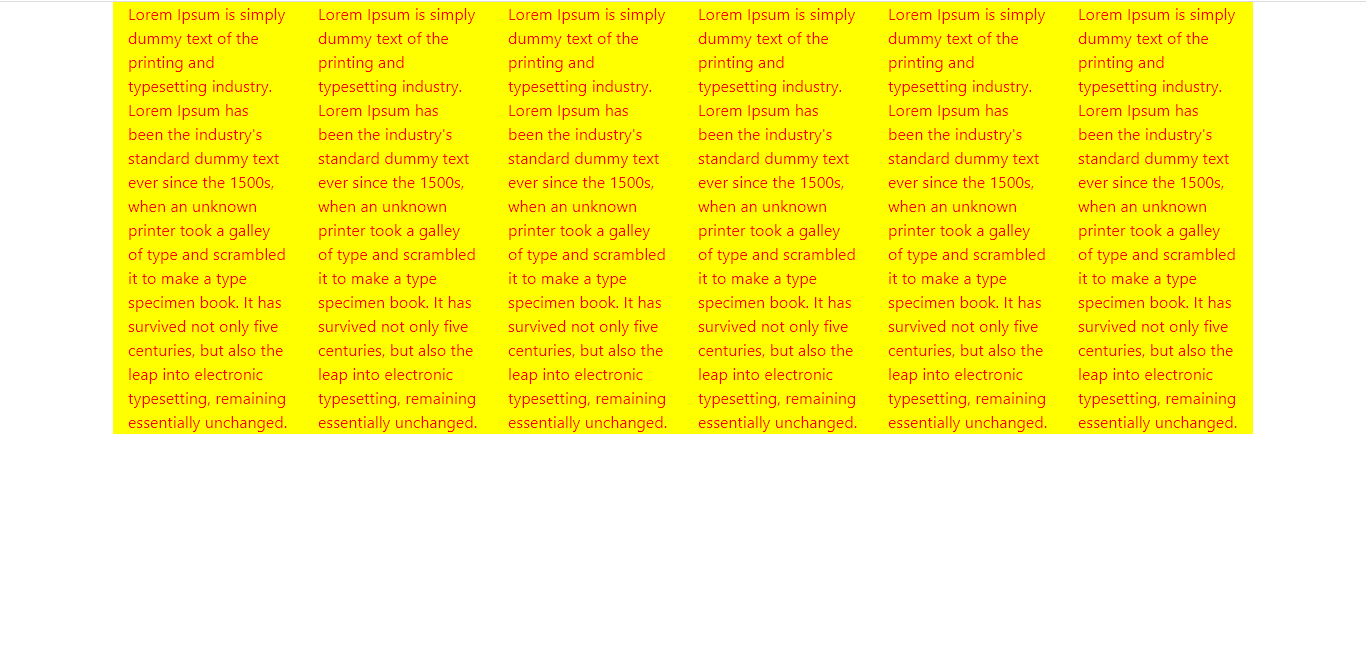
Container Class in Bootstrap

CODE:

<!DOCTYPE html>
<html lang="en">
    <head>
        <title>Container class in bootstrap</title>
        <meta charset="UTF-8">
        <meta name="viewport" content="width=device-width, initial-scale=1.0">
        <!-- Latest compiled and minified CSS -->
        <link rel="stylesheet" href="https://maxcdn.bootstrapcdn.com/bootstrap/4.4.1/css/bootstrap.min.css">
        <!-- jQuery library -->
        <script src="https://ajax.googleapis.com/ajax/libs/jquery/3.4.1/jquery.min.js"></script>
        <!-- Popper JS -->
        <script src="https://cdnjs.cloudflare.com/ajax/libs/popper.js/1.16.0/umd/popper.min.js"></script>
        <!-- Latest compiled JavaScript -->
        <script src="https://maxcdn.bootstrapcdn.com/bootstrap/4.4.1/js/bootstrap.min.js"></script>

        <style>
            .container{
                background-color: yellow;
                color: red;
                font-size: 20px;
            }
        </style>
    </head>
    <body>
        <div class="container">
            <div class="row">
                <div class="col-sm-2">Lorem Ipsum is simply dummy text of the printing and typesetting industry. Lorem Ipsum
                    has been the industry's standard dummy text ever since the 1500s, when an unknown printer took a galley
                    of type and scrambled it to make a type specimen book. It has survived not only five centuries, but also
                    the leap into electronic typesetting, remaining essentially unchanged.</div>
                <div class="col-sm-2">Lorem Ipsum is simply dummy text of the printing and typesetting industry. Lorem Ipsum
                    has been the industry's standard dummy text ever since the 1500s, when an unknown printer took a galley
                    of type and scrambled it to make a type specimen book. It has survived not only five centuries, but also
                    the leap into electronic typesetting, remaining essentially unchanged.</div>
                <div class="col-sm-2">Lorem Ipsum is simply dummy text of the printing and typesetting industry. Lorem Ipsum
                    has been the industry's standard dummy text ever since the 1500s, when an unknown printer took a galley
                    of type and scrambled it to make a type specimen book. It has survived not only five centuries, but also
                    the leap into electronic typesetting, remaining essentially unchanged.</div>
                <div class="col-sm-2">Lorem Ipsum is simply dummy text of the printing and typesetting industry. Lorem Ipsum
                    has been the industry's standard dummy text ever since the 1500s, when an unknown printer took a galley
                    of type and scrambled it to make a type specimen book. It has survived not only five centuries, but also
                    the leap into electronic typesetting, remaining essentially unchanged.</div>
                <div class="col-sm-2">Lorem Ipsum is simply dummy text of the printing and typesetting industry. Lorem Ipsum
                    has been the industry's standard dummy text ever since the 1500s, when an unknown printer took a galley
                    of type and scrambled it to make a type specimen book. It has survived not only five centuries, but also
                    the leap into electronic typesetting, remaining essentially unchanged.</div>
                <div class="col-sm-2">Lorem Ipsum is simply dummy text of the printing and typesetting industry. Lorem Ipsum
                    has been the industry's standard dummy text ever since the 1500s, when an unknown printer took a galley
                    of type and scrambled it to make a type specimen book. It has survived not only five centuries, but also
                    the leap into electronic typesetting, remaining essentially unchanged.</div>
            </div>
        </div>
    </body>
</html>

OUTPUT:

Thursday, February 27, 2020

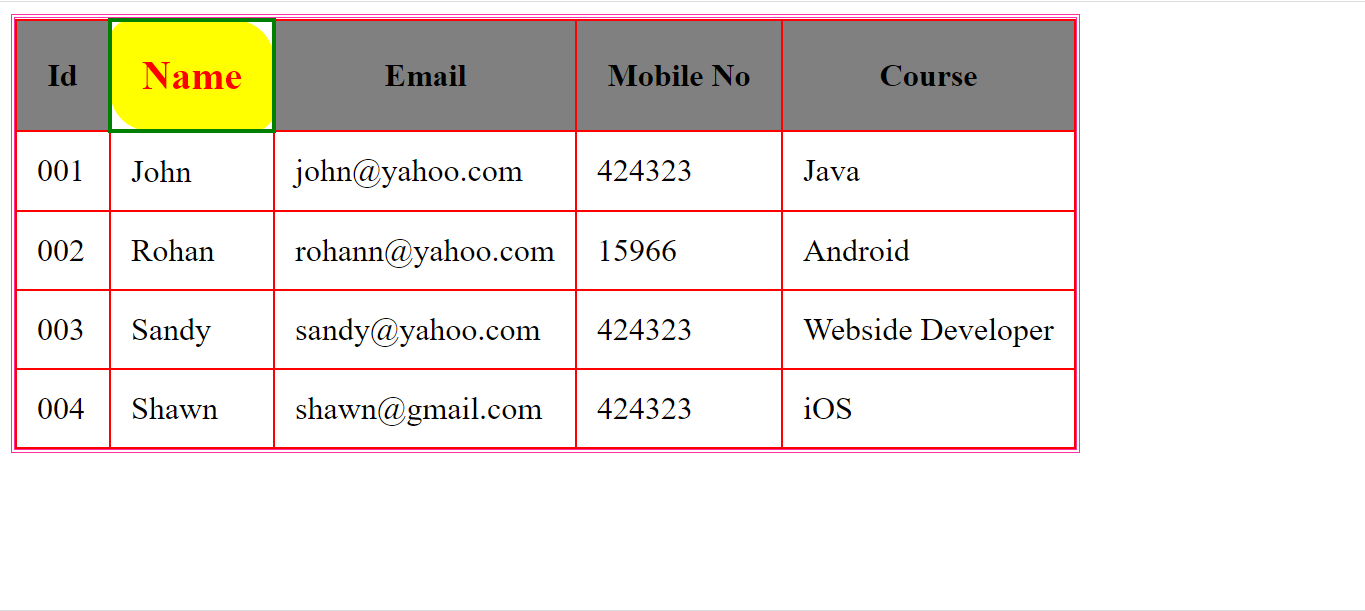
Table in HTML with CSS

CODE:

<!DOCTYPE html>
<html>
    <head>
        <title>Simple table</title>
        <style>
            .table1{
            outline-width: 2px; outline-style: double;
            outline-color:rgb(255, 47, 161);}
            th{padding: 15px; background-color: gray;}
            td{padding: 10px;}
            .table1, th, td{border: 1px solid red;
                border-collapse: collapse;}
            tr :hover{background-color: yellow;
            border: 2px solid green;font-size: 20px;
            color: red;border-radius: 10px 20px;}   
        </style>
    </head>
    <body>
        <table class="table1">
            <tr>
                <th>Id</th>
                <th>Name</th>
                <th>Email</th>
                <th>Mobile No</th>
                <th>Course</th>
            </tr>
            <tr>
                <td>001</td>
                <td>John</td>
                <td>john@yahoo.com</td>
                <td>424323</td>
                <td>Java</td>
            </tr>
            <tr>
                <td>002</td>
                <td>Rohan</td>
                <td>rohann@yahoo.com</td>
                <td>15966</td>
                <td>Android</td>
            </tr>
            <tr>
                <td>003</td>
                <td>Sandy</td>
                <td>sandy@yahoo.com</td>
                <td>424323</td>
                <td>Webside Developer</td>
            </tr>
            <tr>
                <td>004</td>
                <td>Shawn</td>
                <td>shawn@gmail.com</td>
                <td>424323</td>
                <td>iOS</td>
            </tr>
        </table>
    </body>
</html>

OUTPUT:

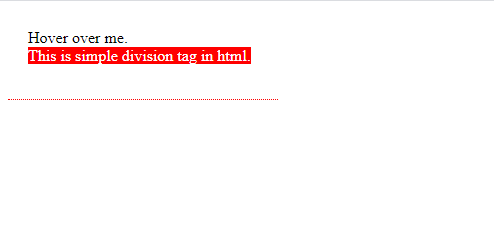
Simple Tooltip use

CODE:

<!DOCTYPE html>
<html>
    <head>
        <title>Simple tooltip task</title>
        <style>
            div{border-bottom: 1px dotted red;
            width: 230px; height: 50px;padding: 20px;
            display: inline-block; position: absolute;}

            div span{ visibility: hidden; width: 120;
            background-color: red;color: white;
            text-align: center; z-index: 1;}

            div:hover span{visibility: visible;}
        </style>
    </head>
    <body>
        <div>Hover over me.<br/>
            <span>This is simple division tag in html.</span>
        </div>
    </body>

</html>

OUTPUT:

Wednesday, February 26, 2020

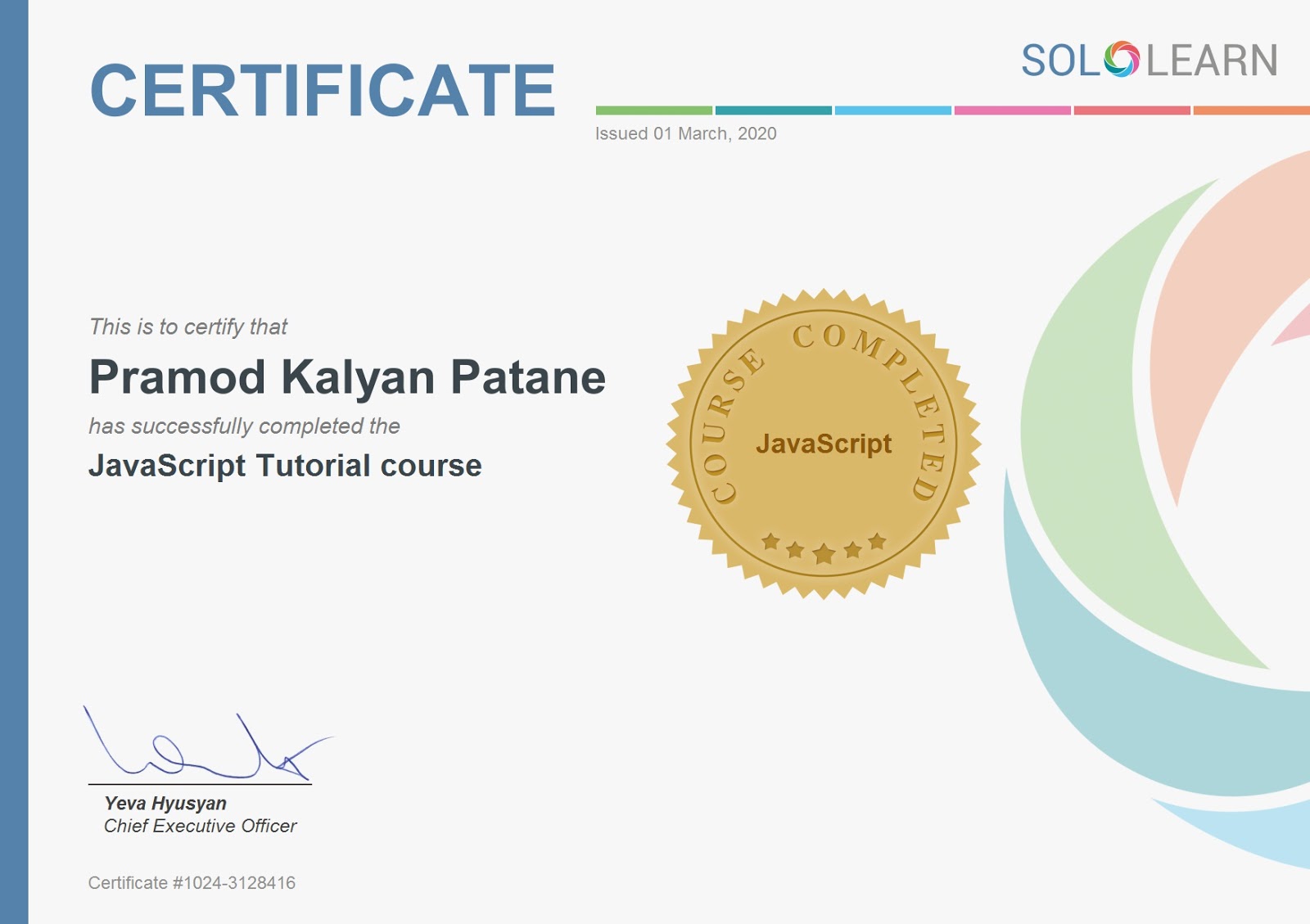
SQL Certificate SoloLearn


Stylish button in CSS

CODE:
<!DOCTYPE html>
<html lang="en-US">
<head>
    <meta charset="UTF-8">
    <meta name="viewport" content="width=device-width, initial-scale=1.0">
    <title>Image on image</title>
    <style>
        *{padding:0;margin:0;}
        .main{text-align: center; margin-top: 330px; }
       

        button {border: 1px solid teal; background: none; padding: 10px 20px;font-size: 20px; font-family: 'monospace';
        cursor: pointer;margin: 10px; transition: 0.8s; position: relative; overflow: hidden;}

        .btn1,.btn2{color: teal;}

        .btn3,.btn4{color:#fff}

        .btn1:hover,.btn2:hover{color: #fff;}

        .btn3:hover,.btn4:hover{color: teal;}

        button::before{content: ""; position: absolute; left: 0; width: 100%; height: 0%; background: turquoise;
        z-index: -1;transition: 0.8s;}

        .btn1::before,.btn3::before {top: 0; border-radius: 0 0 50% 50%;}

        .btn2::before,.btn4::before {top: 0; border-radius: 50% 50% 0 0;}

        .btn3::before,.btn4::before {height: 180%;}

        .btn1:hover::before,.btn2:hover::before{height: 180%;}

        .btn3:hover::before,.btn4:hover::before{height: 0%;}
    </style>
</head>
<body>
    <div class="main">
        <div>
            <!-- <input type="button" name="submit" type="button" value="Submit" /> -->
            <button class="btn1">Hover Me</button>
            <button class="btn2">Click Me</button><br /><br />
            <button class="btn3">Click Me</button>
            <button class="btn4">Hover Me</button>
        </div>
    </div>
</body>
</html>

OUTPUT:

Example of Switch Case

CODE:

<!DOCTYPE html>
<html lang="en-US">
<head>
    <meta charset="UTF-8">
    <meta name="viewport" content="width=device-width, initial-scale=1.0">
    <title>Switch case</title>
    <script type="text/javascript">
        var day=7;
        switch(day){
            case 1: document.write("<h1>Sunday</h1>");
                break;
            case 2: document.write("<h1>Monday</h1>");
                break;
            case 3: document.write("<h1>Tuesday</h1>");
                break;
            case 4: document.write("<h1>Wednesday</h1>");
                break;
            case 5: document.write("<h1>Thursday</h1>");
                break;
            case 6: document.write("<h1>Friday</h1>");
                break;
            case 7: document.write("<h1>Saturday</h1>");
                break;
            default: document.write("<h1>Invalid day</h1>");
                break;
        }     
    </script>
</head>
<body>
   
</body>
</html>

OUTPUT:


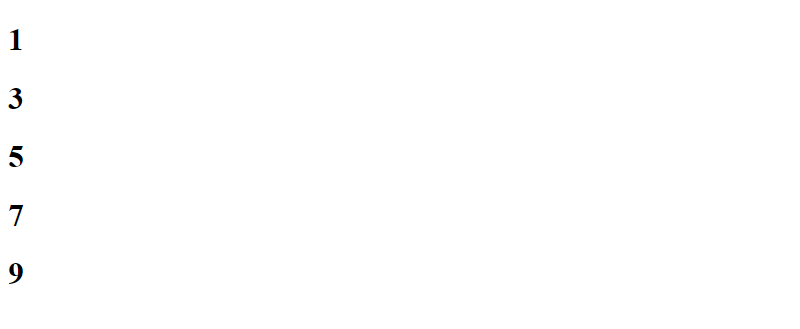
Print first 5 odd numbers using while loop

CODE:

<!DOCTYPE html>
<html lang="en-US">
<head>
    <meta charset="UTF-8">
    <meta name="viewport" content="width=device-width, initial-scale=1.0">
    <title>While Loop</title>
    <script type="text/javascript">
        var n=1;
        while(n<10){
            document.write("<h1>"+n+"</h1>");
            n+=2;
        }
    </script>
</head>
<body>
 
</body>
</html>

OUTPUT:


Simple Example of div tag in html with css

HTML and CSS Code : <!DOCTYPE html> <html lang="en"> <head>     <meta charset="UTF-8">     <m...